The Complete Reaction Channel Equipment Setup Guide for 2025
Camera, microphone, lighting, editing software — here's everything you need to set up a professional reaction channel studio at three different budget levels.
YouTubeReactions Team
YouTubeReactions.com
The Complete Reaction Channel Equipment Setup Guide for 2025
Setting up your reaction channel studio does not require spending thousands of pounds or dollars. The most important equipment investments are lighting and audio — two areas where cheap solutions make an enormous visible and audible difference. This guide covers three complete setup tiers: budget, mid-range, and professional.
Budget Setup (~$150–$200 Total)
Camera: Your smartphone. Modern iPhones and Android flagships shoot 4K video that rivals dedicated cameras costing hundreds of dollars. Mount it on a tripod ($15–$25) at eye level, approximately 3–4 feet from your face.
Microphone: Blue Snowball iCE (~$45). Plug-and-play USB connection, no audio interface required. Position it 6–8 inches from your mouth, slightly below chin level to avoid plosives.
Lighting: A single ring light ($30–$50) placed directly in front of you at eye level. This eliminates shadows and gives your face the even, flattering illumination that separates amateur from professional-looking video.
Background: Tidy your space. Add a few personality items — a poster, a bookshelf, some plants. Avoid plain white walls.
Editing Software: DaVinci Resolve (free). It is the industry-standard professional editing suite, and the free version has no meaningful limitations for YouTube creators.
Total: Approximately $150–$200, not counting the smartphone you already own.
Mid-Range Setup (~$500–$800 Total)
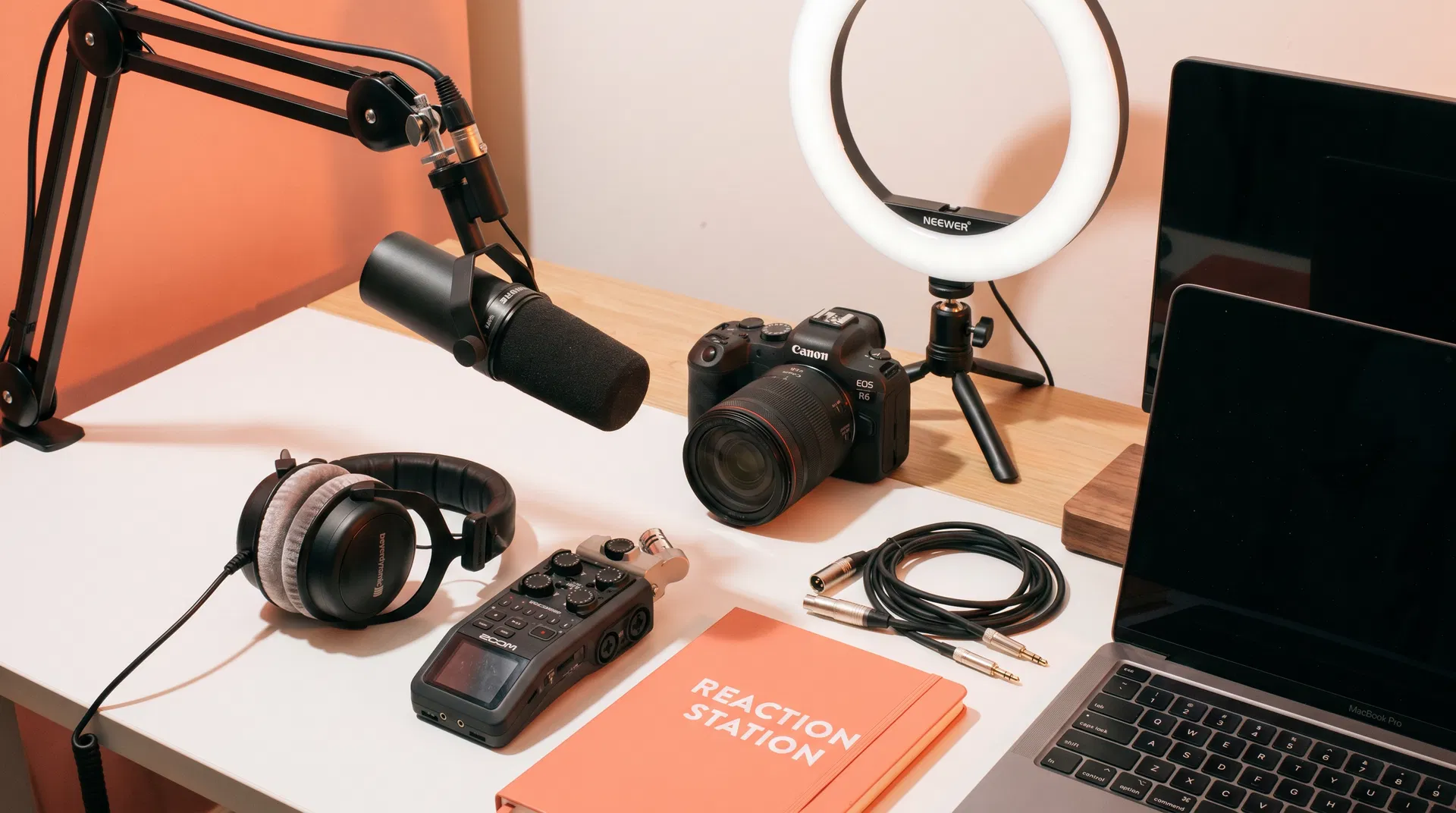
Camera: Sony ZV-E10 ($550 body only) or Canon M50 Mark II ($600). Both are mirrorless cameras with excellent autofocus, beautiful colour science, and the ability to accept interchangeable lenses. Pair with a 16mm or 24mm prime lens for a clean, slightly wide shot.
Microphone: Audio-Technica AT2020USB+ (~$130). Near-studio-quality condenser audio with built-in headphone monitoring.
Lighting: A two-light setup — a key light (ring light or softbox) in front and a fill light or LED panel to the side. This creates depth and eliminates the flat look of single-light setups.
Background: Consider acoustic foam panels ($30–$60) on the walls behind and beside your microphone. These improve audio quality dramatically and give your background a professional studio aesthetic.
Editing Software: DaVinci Resolve (free) or Adobe Premiere Pro ($55/month) for more advanced colour grading and effects.
Professional Setup (~$1,500–$3,000 Total)
Camera: Sony A7 III or Canon EOS R6 Mark II. Full-frame mirrorless cameras that produce cinematic image quality with exceptional low-light performance. Pair with a 35mm f/1.8 lens for a natural, flattering field of view.
Microphone: Shure MV7 ($250) or Rode NT1 with Focusrite Scarlett Solo interface ($350 combined). Broadcast-quality audio that requires no post-processing.
Lighting: A three-point lighting setup — key light, fill light, and backlight — creates the professional, three-dimensional look you see on major YouTube channels and TV productions.
Acoustic Treatment: Full foam panel coverage on the walls behind and to the sides of your recording position. Some creators also use a reflection filter mounted directly behind the microphone.
Editing Software: Adobe Creative Suite (Premiere Pro + After Effects) for maximum creative flexibility.
The Most Important Investment
Regardless of your budget tier, the single most impactful investment you can make is time spent watching and analysing successful reaction channels. Study how they frame their shots, how they structure their commentary, how they pace their edits. The technical quality of your setup matters far less than the quality of your reactions and the authenticity of your personality.
For more guidance on launching your channel, read our complete beginner's guide to starting a reaction channel.